


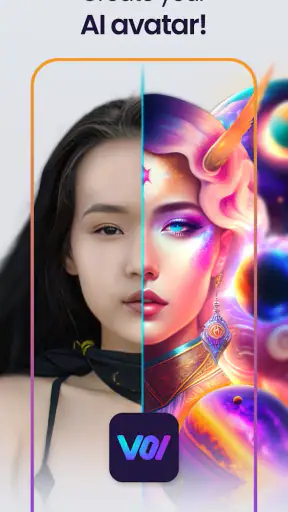
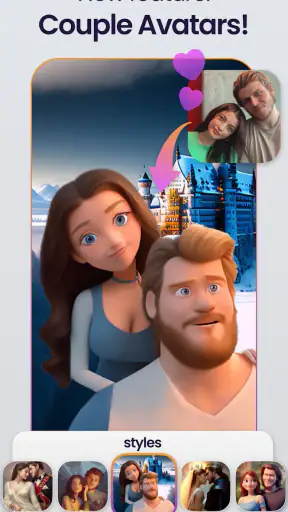
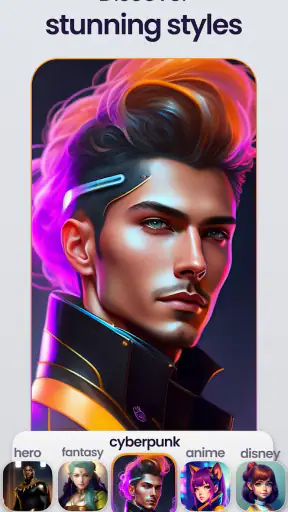
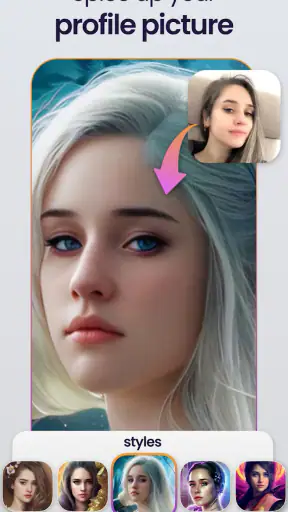
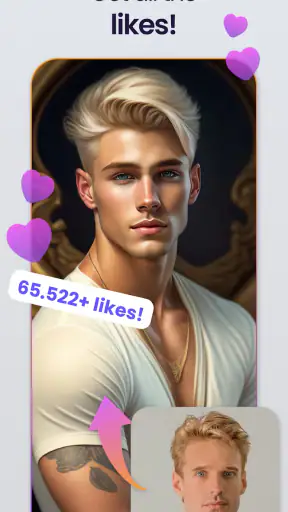
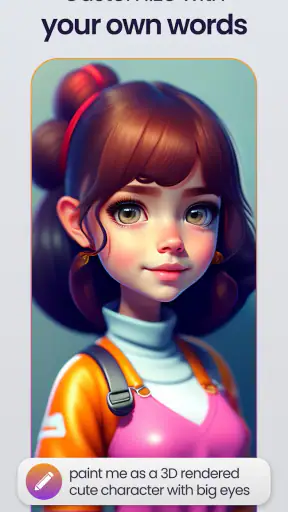
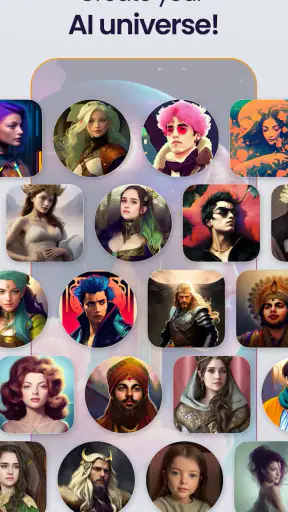
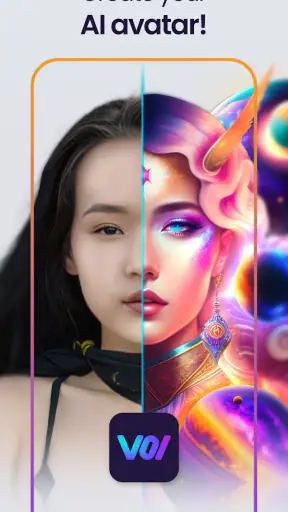
Voi - AI Avatar Portrait Maker is the kind of art and design app I would open when I want a profile picture that feels more distinctive than a standard selfie, but I do not want to spend an evening learning a full photo editor. Developed by Holypic, it turns photos into stylized avatar artwork, with the emphasis firmly on quick experimentation rather than detailed manual retouching.
My first impression is that the idea is easy to understand: choose a suitable photo, let the app create an artistic version, and decide whether the result is good enough to use. That simplicity is appealing, especially for social profiles, messaging accounts, gaming identities, or a small personal project. At the same time, the relatively modest average rating of 2.1 from around 11 thousand ratings suggests that the experience can be uneven. I would not approach it expecting every image to look polished on the first attempt.
The app is free to install and is rated for Everyone, although optional purchases range from $2.99 to $29.99 per item. That makes the initial trial fairly approachable, but it also means I would pay attention to what is available before becoming invested in a particular style or workflow. Voi is best understood as a creative shortcut: useful when speed and novelty matter more than precise control.
Getting past the first points of friction
The most important part of using an AI portrait app is not the final button; it is preparing an image that gives the system something clear to work with. I would start with a well-lit photo where one face is easy to identify. A busy group picture, a face hidden by a hat, or a heavily cropped image can make the result less predictable. This is not a criticism unique to Voi, but it matters because an artistic filter can disguise the original problem instead of fixing it.
I would also keep the first test simple. Rather than selecting a favorite photograph immediately, I would use a duplicate or an ordinary portrait. That makes it easier to judge the transformation without worrying about losing an important original. If the first output looks strange, the source image may be the issue rather than the style itself.
One practical detail is to check the operating system before installing. Voi supports Android 7.0 and later, so an older device may not be suitable even if it can still run many other art applications. On a compatible phone, I would close demanding apps in the background and make sure the device has a stable internet connection before starting a generation. AI-based image work can be more sensitive to interruptions than a simple offline filter.
When an app seems stuck during setup, I would avoid repeatedly tapping the same control. First, I would check whether the selected image is actually available to the app, whether the connection is stable, and whether the app is running its current version, 2.0.6. Then I would reopen the app and try one smaller, clearer test photo. This sequence is more useful than changing several things at once because it shows whether the problem comes from the image, the session, or the device.
Choosing a photo that gives the portrait a fair chance
For a profile picture, a face that occupies a reasonable part of the frame is usually more practical than a full-body shot. I would avoid extreme side angles for the first attempt and use a photo with visible facial features. Strong shadows may look attractive in a normal photograph, but they can make an AI-generated portrait less consistent.
I would also think about the intended destination before generating anything. A portrait for a circular messaging icon needs a different crop from an image used in a rectangular social profile. If the face is placed too close to the edge, an automatic crop may remove part of the hair or shoulders. Keeping a little space around the head gives the final image more flexibility.
Another useful habit is to compare the generated result with the original at a normal viewing size, not only when zoomed in. Small irregularities can be distracting when inspected closely but invisible inside a profile icon. Conversely, an image that looks impressive full-screen may lose its character when reduced to a tiny circle. I judge Voi by the place where I actually plan to use the portrait.
The app’s category, Art & Design, is a good description of its role. I would not treat it as a replacement for a professional editor. It is much closer to an idea generator that helps me explore visual identities quickly. That distinction prevents disappointment: the strength is the transformation, not fine control over every line, color, or facial detail.
Recovering when a generation is disappointing
If the first result is unconvincing, I would not immediately conclude that the app has failed. I would change one variable at a time. A different source photo is the best first test, followed by a different crop or a less complicated image. If several attempts from clear photos produce the same kind of problem, then I would consider whether the chosen visual direction simply does not suit what I want.
I would save promising results as I go rather than assuming I can recreate them later. Creative apps often encourage browsing and comparing, and a result that seems merely acceptable at first can become the best option after seeing it beside several alternatives. Keeping the original photo separately is equally important, since the generated artwork should not be the only copy of a picture I care about.
There is also a difference between an artistic imperfection and a technical failure. A changed hairstyle, simplified background, or exaggerated facial feature may be part of the intended style. A blank result, an interrupted process, or an image that never becomes usable points more toward a session or connection issue. Separating those cases helps me decide whether to retry, choose another photo, or move on.
If reopening the app does not help, I would perform basic recovery steps: switch between reliable networks, restart the phone, and test with a different image. I would avoid repeatedly purchasing anything while troubleshooting. Since the app is free to try but includes optional items, it makes sense to confirm that the basic workflow is behaving properly before spending money on a particular result.
For someone using an older phone that meets the minimum system requirement, patience may also be part of the process. I would avoid launching several generations back to back while other heavy apps are open. This is a general device-management step rather than a promise about a specific Voi error, but it is a sensible way to reduce avoidable interruptions.
When the phone or photo is the real source of trouble
Not every failed attempt should be blamed on Voi. A nearly full device, an unstable connection, aggressive battery restrictions, or an outdated system can interfere with image-heavy apps. If other online services are also slow, I would investigate the connection first. If only one particular photo causes trouble while another works, I would examine the photo rather than reinstalling immediately.
Permissions can also affect the setup experience. If the app cannot access the image I want to use, I would review the phone’s app settings and allow the relevant access before trying again. I would not grant unrelated permissions simply to get past a prompt; I would keep the setup limited to what is needed for selecting and working with photos.
Storage is another easy-to-miss factor. Even when an app itself is not large, creating and saving images requires room for temporary and finished files. I would remove unnecessary downloads or move old media if the phone is close to full. This is especially useful when the app appears to complete a process but the resulting image is not saved where expected.
It is also worth checking whether the difficulty follows the account, the device, or the image. A quick test on another suitable connection can reveal whether the original network is responsible. Testing a different photo can reveal whether the portrait itself is too complex. These small comparisons turn vague frustration into a practical diagnosis.
Where Voi fits among familiar alternatives
Compared with a conventional photo editor, Voi asks me to give up control in exchange for speed. In an editor, I can adjust exposure, remove a blemish, refine a crop, or build a design layer by layer. Here, the appeal is that the app handles the artistic conversion for me. If I want a predictable, natural-looking headshot, a camera editor or manual retouching tool is the better choice.
Compared with ordinary social-media filters, the result is more focused on creating a new avatar identity rather than adding a small effect to an existing photograph. That makes Voi more interesting when I want a profile image that does not look like a lightly edited selfie. The trade-off is that the more the image changes, the less suitable it may be for professional contexts where people need to recognize me accurately.
Compared with drawing an avatar from scratch, Voi is far quicker and requires no illustration skill. I can begin with a personal photo instead of constructing facial features manually. The downside is reduced authorship: the app decides much of the visual interpretation. For a personal brand, portfolio, or character design that needs exact specifications, a dedicated illustration or layered design tool gives me more dependable control.
This is where the developer’s positioning makes sense without needing a complicated workflow. Holypic has made something aimed at fast portrait experimentation, not a complete studio. I would recommend it to someone who wants several creative directions for a profile image and is comfortable judging results selectively. I would skip it if my priority is exact resemblance, transparent editing controls, or a carefully repeatable visual system.
Everyday uses that make the app worthwhile
A realistic use case is updating a messaging profile before joining a new group. I might have a few ordinary selfies but want something friendlier and more memorable than a standard photograph. I could test a clear portrait, compare the generated versions at icon size, and choose the one that still looks recognizable after cropping. That is a small task, but it matches the app’s strengths well.
It can also help when I need a temporary identity for a hobby account, a gaming community, or a creative experiment. An AI-styled portrait can separate that account from my everyday profile without requiring a custom illustration. I would still avoid using a generated image where a formal, accurate photograph is expected.
One less obvious workflow is using the app for visual brainstorming rather than selecting the first output as the final answer. I can use a portrait to explore whether I prefer a softer, bolder, or more dramatic identity, then recreate that direction in another editor if I need greater precision. In that role, Voi becomes a source of references and possibilities instead of the entire design process.
Another practical tip is to make a small comparison set from photos with different framing: a close portrait, a shoulders-up image, and a more relaxed composition. The purpose is not to generate endlessly, but to learn which kind of source image gives the most usable face and crop. Once I find the framing that works, future attempts become less wasteful.
Privacy is part of my personal decision too. Because the app works with personal photos, I would choose images carefully and avoid uploading pictures of other people without their permission. I would also think twice before using sensitive photographs. That is good practice for any photo-based service, especially one intended to transform recognizable faces.
What the rating and payment model mean for my expectations
Voi has passed one million installs, so it has clearly attracted substantial interest despite the low average rating. I read that combination as a reason to try cautiously rather than as proof that the app is unusable. A large install base shows that the concept appeals to people; the rating warns me that the execution may not satisfy everyone.
The free entry point is helpful because I can assess the basic experience before deciding whether optional content is worthwhile. However, the in-app purchase range means I would inspect each purchase screen carefully and avoid treating paid options as a guaranteed solution to a weak source photo. Paying for a different style cannot compensate for poor lighting, an unsuitable crop, or an expectation that the app was never designed to meet.
The Everyone age rating makes the app broadly approachable, but that does not change my advice about photo choices and spending. Younger users should still have a clear understanding of any purchase before confirming it, while all users should keep original images backed up outside the app.
Because the app was released on November 29, 2022, compatibility and maintenance matter more to me than the release date itself. I would keep the installed version current when possible and judge it on how reliably it works on my particular phone. The listed current version is 2.0.6, which is the version I would use as a reference when checking whether my installation is up to date.
Who should install it, and who should pass
I think Voi is worth trying if you want a quick artistic profile image, enjoy comparing visual variations, and can accept that some outputs will be more successful than others. It is especially suitable for casual social profiles, hobby communities, and people who want a starting point for a more finished design.
I would pass on it if I need a faithful professional headshot, exact brand colors, editable layers, or guaranteed consistency across a set of portraits. I would also avoid making it my only option if my phone is struggling with storage or connectivity. In those situations, a conventional editor that works more directly with local files may be less frustrating.
My practical recommendation is to begin with one nonessential, well-lit portrait, confirm that the basic generation and saving process works, and evaluate the result at the final profile-picture size. Do not buy an optional item simply because the first output is weak; test the photo and workflow first. The best results come from treating Voi as a fast creative filter, not as a precision portrait studio.
After using it with that expectation, I find the app appealing but not universally dependable. It can turn an ordinary photo into something more expressive with very little effort, and that is genuinely useful for the right kind of user. Yet the low 2.1 average rating, based on around 11 thousand ratings, makes me cautious about recommending it without conditions. I would install it for experimentation, keep an alternative editor available, and decide based on the quality of the first few results rather than the promise of instant transformation.
In the end, Voi - AI Avatar Portrait Maker is a free Art & Design app with a clear, narrow purpose. For quick avatar ideas and playful profile updates, I would give it a careful try; for control, consistency, and professional identity work, I would choose a more traditional tool. That balance captures its real value: convenient and potentially fun, but best approached with a good source photo, modest expectations, and no rush to pay.


